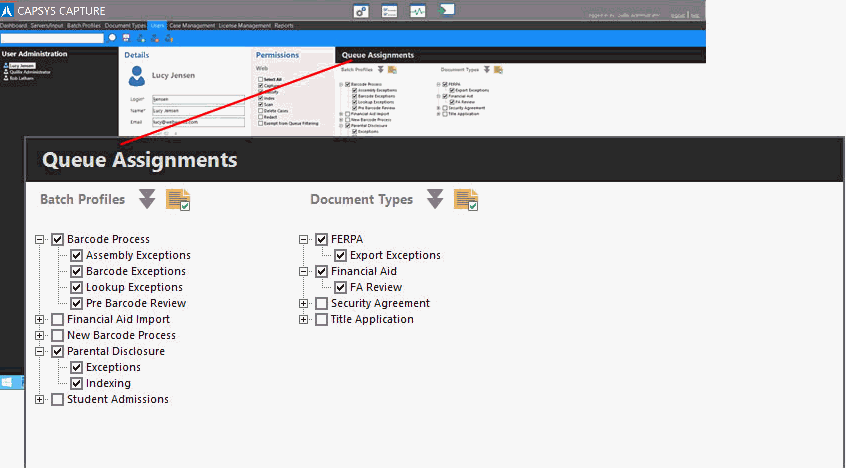
A User or Group account must be assigned to one or more processes and queues in order to perform tasks in the CAPSYS CAPTURE Web Client. Processes and Queues are assigned to User or Group accounts from the Users Panel in the CAPSYS CAPTURE Process Manager Application. The CAPSYS CAPTURE Process Permissions control the various Batch Profiles and Document Types from which a user may select, and the Queues in which a user may access.
Figure 1 - CAPSYS CAPTURE Process Manager Process/Queue Assignment
To set CAPSYS CAPTURE Process Permissions:
Batch Profiles - Batch Profile Permissions specify the Batch Profiles that are available to a user for creating new batches in the CAPSYS CAPTURE Client.
Document Types - Document Type Permissions specify the Document Types that are available to a user for creating new documents in the CAPSYS CAPTURE Client.
Queues - Queue Permissions specify the Queues that a user may access from the CAPSYS CAPTURE Client.