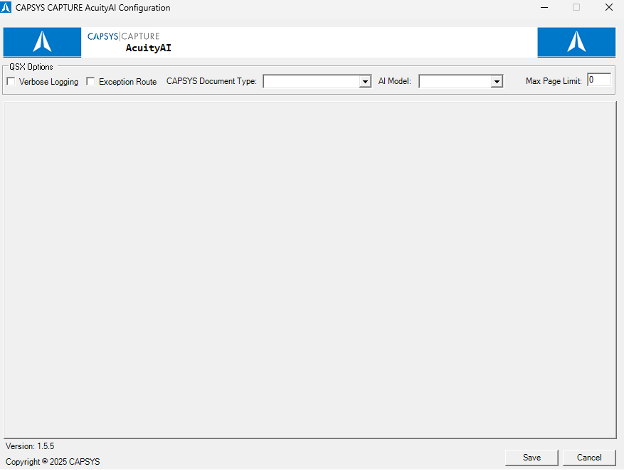
AcuityAI allows a CAPSYS CAPTURE Batch Process or Doctype process to invoke AI services from a variety of external sources. Configuration of AcuityAI requires a Professional Services engagement with CAPSYS Technologies. Contact your sales representative or authorized business partner for further details. The following configuration information is not meant to be an exhaustive set of instructions on how to configure and deploy AcuityAI services, but rather provide the CAPSYS Administrator with a high level understanding of the configuration and setup process.
Upon first opening AcuityAI there will be very few options. Enable Verbose Logging and Exception Route, if desired. Select the CAPSYS Document Type to be used. Select an AI model provider from the “AI Model” dropdown. Finally, set the “Max Page Limit” to the maximum number of pages to send in a single request to the model, or leave at 0 to send all pages.
Important! Setting maximum number of pages to "0" can have adverse effects on overall system performance, consume a large portion of your AI Token allocation resulting in unexpected budgeted cost overruns or system delays. Be sure to consult with your Business Analyst, your CAPSYS Sales Representative, or your Authorized Business Partner about the proper setting to use for your specific use case!